

Students
Memory Maps: see the whole chapter at once
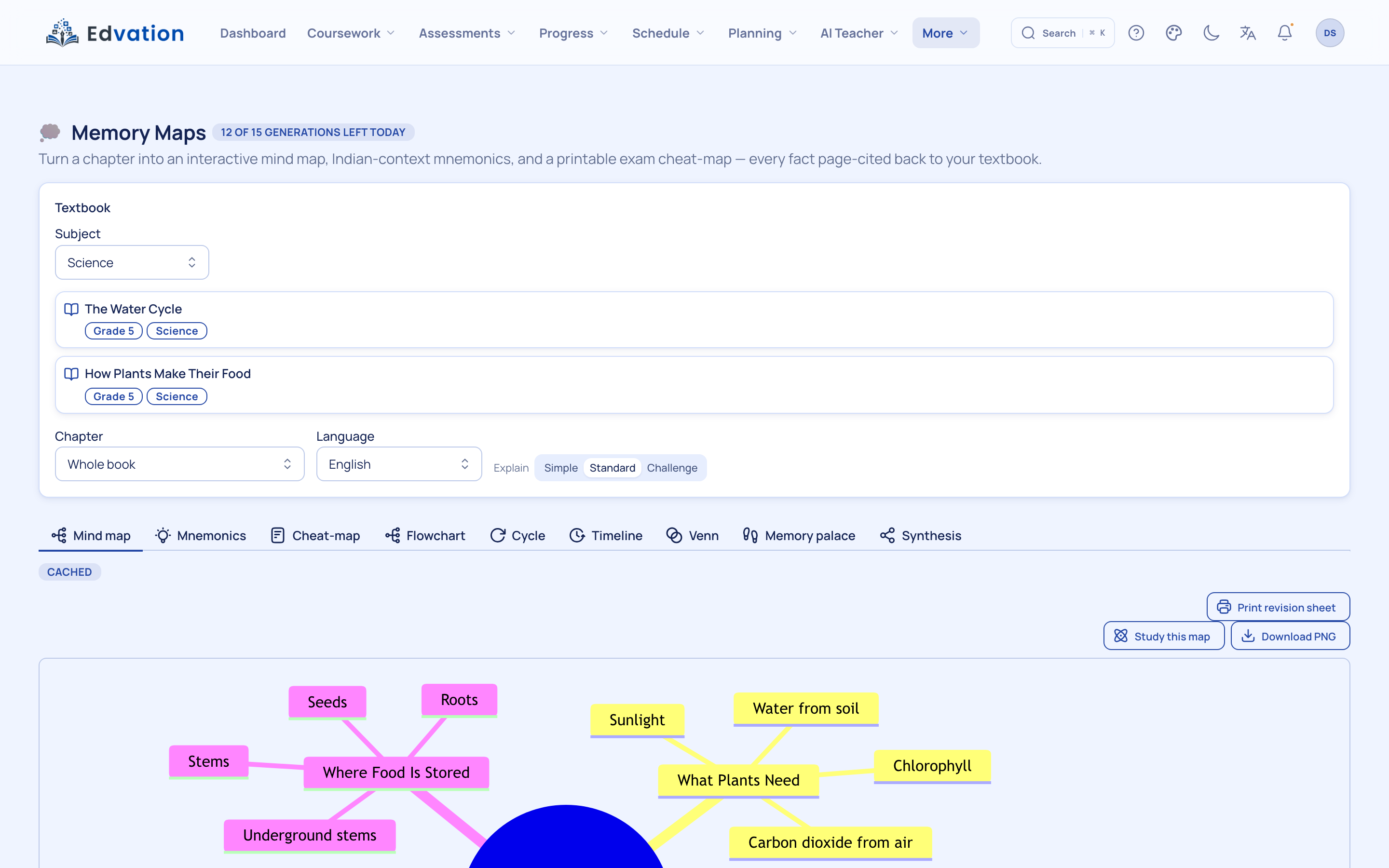
Memory Maps turns a chapter into a grounded mind-map, mnemonic or cheat-map — the whole structure of a topic on one screen. Nodes are drawn from the textbook and page-cited, and the finished map downloads as an image for the wall or a revision folder.
Who it’s for: For visual learners and last-mile revision before a test.

How it works
Pick a chapter
Choose the chapter to visualise; the map is built from its grounded content.
Choose a format
A mind-map for structure, mnemonics for recall, or a cheat-map for a one-page summary.
Download and revise
Save the map as an image to print or keep, and revise the whole chapter at a glance.
See it in a real classroom
She generates a mind-map of "Life Processes": two dozen nodes, each carrying its page citation. She downloads the PNG, prints it, and sticks it on the wall. Her brother’s Class 4 mnemonics come from the same tool — in Marathi.
Why it matters: The whole chapter on one printed page, every node checkable against the book.
Who uses it, and for what
Students: Grounded mind-maps, mnemonics and cheat-maps per chapter.
Teachers: Print class revision maps before exam week.
Parents: A wall-chart revision aid that isn’t another screen.
What makes it different
Grounded mind-maps
The map reflects the actual chapter, so it reinforces the syllabus rather than a generic outline.
Page-cited nodes
Key nodes trace back to textbook pages, keeping the visual honest and checkable.
Downloadable
Export as an image for a printout, a wall, or a shared revision folder.
Questions schools ask
What kinds of maps can it make?
Mind-maps for structure, mnemonics for memorisation and cheat-maps for a one-page overview — all generated from the selected textbook chapter.
Can I keep the map?
Yes. Each map downloads as an image, so students can print it or add it to a revision folder.
Explore related agents
See it on your own textbook
Book a walkthrough and watch this agent answer from a chapter you upload.
Edvation · Updated July 2026

